Settings
For administrators.
Two places, and the split matters: Settings is desk-wide, the brand is per company. If you are looking for something and it is not in Settings, it is on the brand.
A third place exists and is deliberately small: .env on the server is infrastructure only: database, cache, queue, mail transport, websockets. Nothing a person would want to change lives there, so
an administrator never needs a shell.
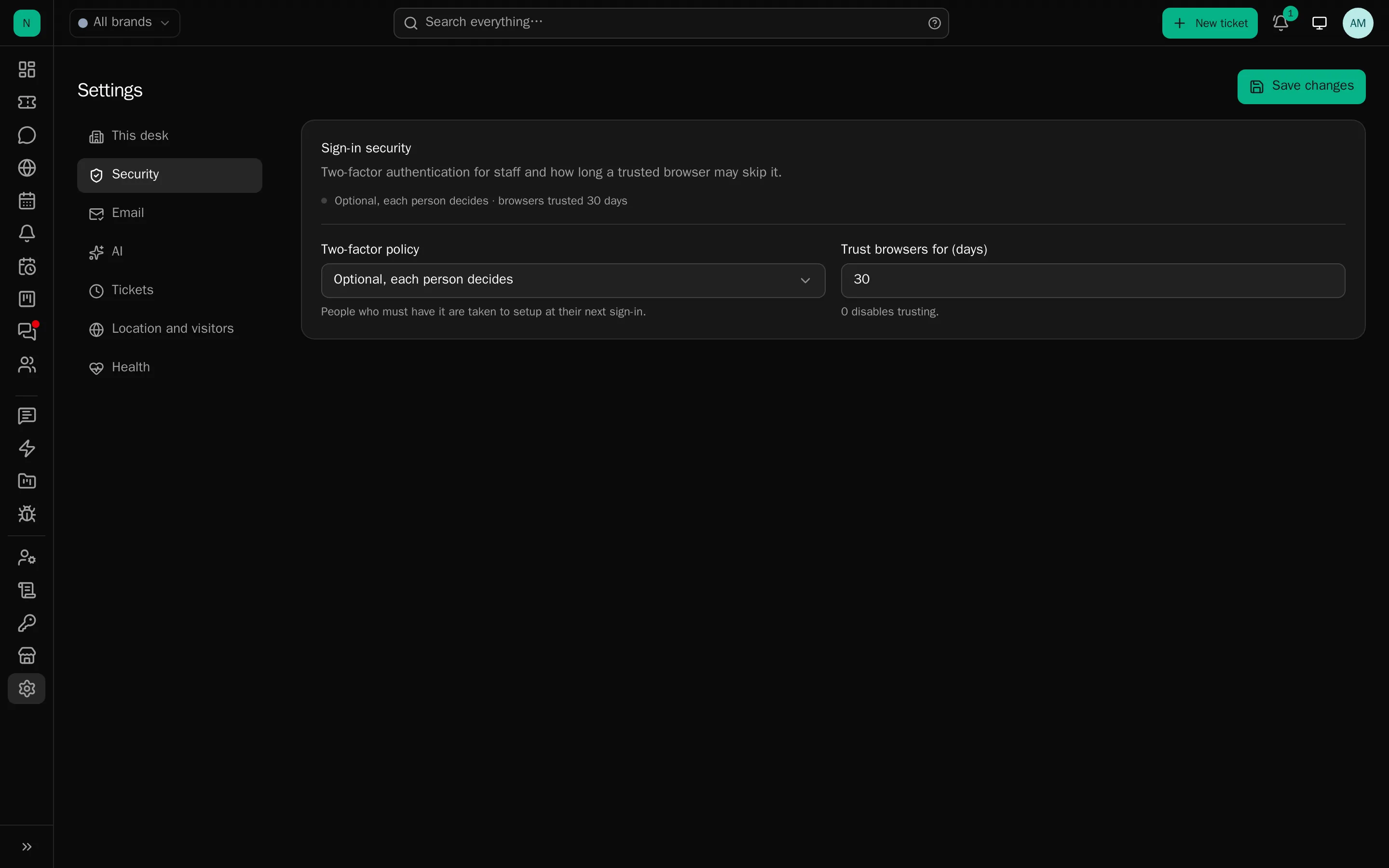
Desk-wide (Settings)
This desk
: What the desk calls itself, and the address it lives at. Both start from the server’s own configuration
(APP_NAME and APP_URL) and, once set here, are what the desk uses everywhere: the browser tab,
desktop notifications, its own emails, the links inside them, and the snippets it hands out for other
people’s websites. Clearing either falls back to the server’s value.
The address must be the desk’s own root, with no path. Changing it does not move the desk, point your proxy and certificate at the new address first, or links will be built for somewhere nobody can reach.
Security : Two-factor policy (optional, required for administrators, required for everyone), session length, trusted-device expiry, passkey policy.
Email : The outgoing mode, and how long inbound originals are kept.
Tickets : Trash retention, and the retention for security, access, rule, AI and knowledge logs.
AI : Provider keys (pooled, shared by every brand), which model the console runs on, and who may use the console.
Location and visitors : Whether addresses can be placed (off, a local database, ipinfo.io, ip-api.com), content screening for uploaded images, which addresses to leave out of visitor statistics, and whether staff addresses are excluded automatically.
Health : The queue heartbeat, its stale limit, and the restart actions. See Health.
Per brand
Everything a client can see, and everything that differs between companies:
| Tab | Holds |
|---|---|
| General | Name, colour, logo, auto-close, notification holds |
| From-name and address, SMTP or a mailbox to send through, templates | |
| Mailboxes | Incoming mail, routing, aliases |
| Platform | The billing system, its lookups, signals, client sync |
| API keys | The integration keys for this brand |
| Clients | Guest access, submission limits, human verification |
| Assistant | AI switches, tone, product primer, house rules, knowledge settings |
| Departments | The queues, their members, hours, priorities and fields |
| Responses | Canned responses |
| Knowledge | Types, sources, notes, coverage |
| Tags | The brand’s tag list |
| Rules | Automation for this brand |
| Files | What may be attached, by whom, how large, how many |
| Stages | Your own status names |
| Chat | The widget, its look, hours, nudges, blocks |
| Announcements | Notices for clients |
| Status | Components, incidents, subscribers, the embed |
| Mass-mail templates, lists and campaigns | |
| Closures | When the desk is shut |
| Ratings | Satisfaction, its scale and its wording |
Per person
On a staff member’s own page: profile and signature, brands and departments, the five permissions, sign-in and security, and their notification matrix. See Staff.
Each person also chooses, per brand, which events reach them and by which route, email, browser, or neither.
Notifications
Worth knowing as a desk-wide behaviour:
- Notifications arrive over the websocket the moment they are created, with polling as a fallback.
- The in-app bell carries an unread count, and desktop alerts carry the brand’s logo.
- Held client-reply alerts (per brand, default 2 minutes, 0 to switch off): the first client message in a burst rings the bell at once, while the email waits and then covers everything that arrived meanwhile, “Client sent 3 messages”, with excerpts. A staff reply during the hold cancels the email entirely. Chats are never held.
That last one is the setting that quietly decides whether your team finds notifications useful or turns them off.