Automation keys and the `sixnix-desk` CLI
For engineers, and for assistants working in a terminal.
A key that lets a script, a CI job or an AI assistant work one project on the desk, open issues, comment, tick things off, plan them into a version, and nothing else.
What a key is
An ordinary token with three limits written into it:
- One project. It cannot see, read or write anything in another project, through any route, not a list, not a search, not a relation, not an options payload.
- The permissions ticked when it was made. Reading is always included, so nothing ticked means read-only.
- The person who made it. It runs as them: their policies apply, the issue’s trail carries their name, and the key stops working the day they lose the project.
Beyond that it is held to an allow-list of issue routes plus the project’s own vocabulary. Everything else on the desk answers 403, and a route added later is closed until somebody opens it deliberately.
The permissions
| Permission | Allows |
|---|---|
issues.create | Open new issues |
issues.comment | Comment on issues |
issues.note | Write notes on an issue: what is known about the work |
issues.status | Change an issue’s status |
issues.plan | Plan an issue into a version |
issues.assign | Assign an issue to somebody |
issues.label | Labels, tags, and the kind of work |
issues.edit | Title, description, priority, dates |
issues.checklist | Keep checklists and tick items off |
issues.link | Relate issues, hang one under another |
issues.attach | Put a file on an issue |
Notably absent at every permission: answering a reporter. A key can finish work; it cannot tell somebody outside that it is finished.
Making one
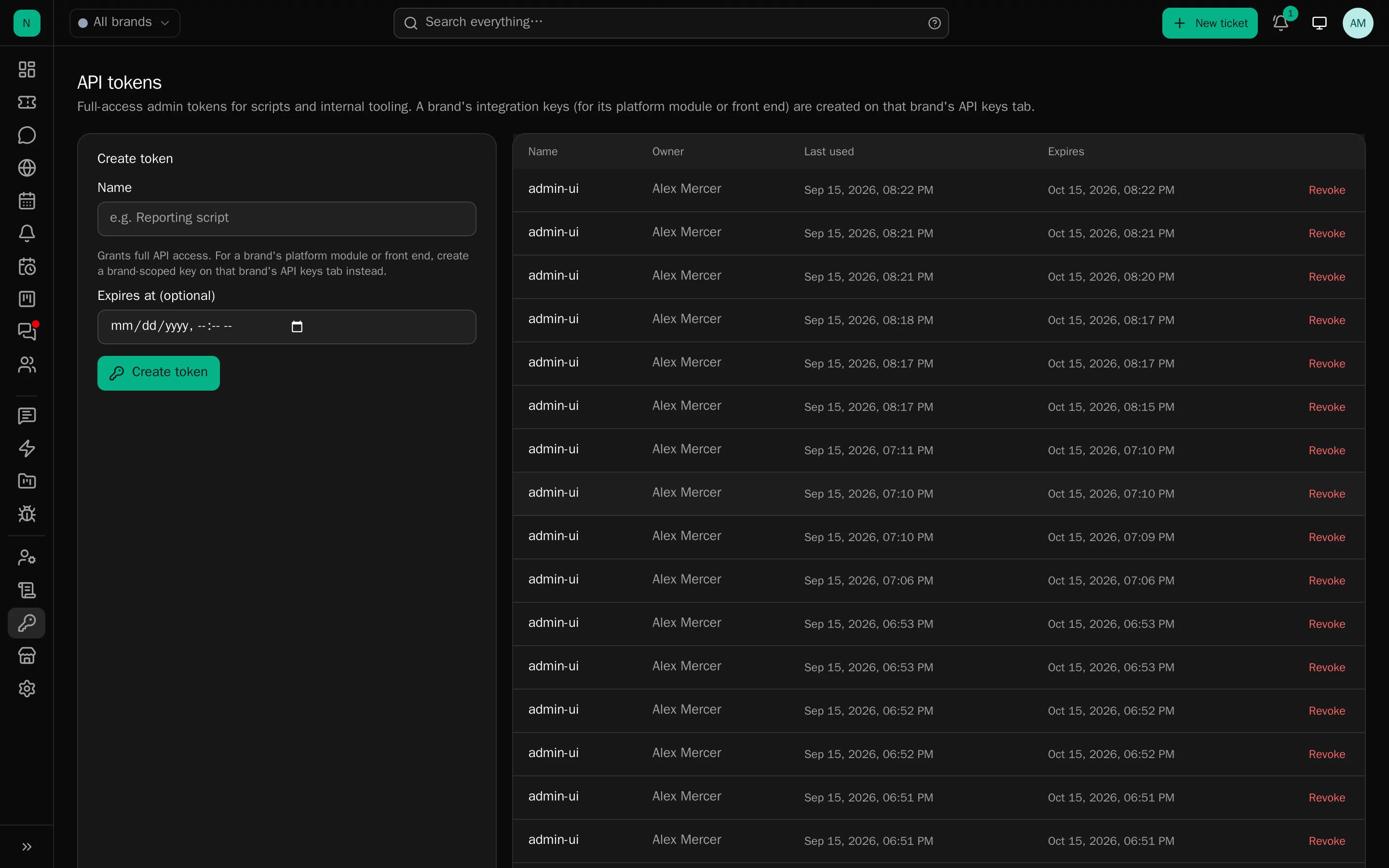
Project page → Automation → new key: a name, the permissions, an optional expiry. The key is shown once and hashed thereafter.
Permissions can be changed later without reissuing it; the key itself is untouched, so whatever is using it keeps working with the new permissions from its next request. An empty list leaves it able only to read.
Anyone who can work the project can make, change and revoke one, and all three are audited.
The sixnix-desk command
Not to be confused with sixnix-deskctl, which is a different tool for a different person:
sixnix-desk works one project’s issues over the API from anywhere, with a key; sixnix-deskctl
administers an installation, on the machine it runs on. See sixnix-deskctl.
A single Python 3 file, no dependencies beyond the standard library.
curl -o /usr/local/bin/sixnix-desk https://registry.sixnix.net/install/sixnix-deskchmod +x /usr/local/bin/sixnix-deskThe project’s Automation section also offers it, alongside an AGENTS.md written for that project.
export DESK_URL=https://desk.example.comexport DESK_KEY='…'
sixnix-desk whoami                    # which project, and what this key may do
The commands
sixnix-desk issues [open|in_progress|blocked|done|all] the issues; no argument means everything unfinishedsixnix-desk mine unfinished issues assigned to whoever made this keysixnix-desk find WORDS search before opening something that already existssixnix-desk show CP-42 one issue, with its last few commentssixnix-desk new "Title" ["Details"|-] open an issue; prints its reference and nothing elsesixnix-desk title CP-42 "A better title" rewrite the titlesixnix-desk describe CP-42 "Details"|- rewrite the detailssixnix-desk status CP-42 open|in_progress|blocked|done where the work has got tosixnix-desk comment CP-42 "What you found"|- say something in the discussion on the issuesixnix-desk note CP-42 "What is known"|- write down what is known about the worksixnix-desk note CP-42 --edit 2 "Corrected"|- rewrite one, by the number desk show gives itsixnix-desk assign CP-42 me|none pick the work up, or put it back downsixnix-desk priority CP-42 low|medium|high|urgent how urgent it issixnix-desk due CP-42 2026-10-01|none when it is wanted bysixnix-desk progress CP-42 60 how far along it is, 0 to 100sixnix-desk kind CP-42 Bug|none what kind of work it issixnix-desk label CP-42 +bug -wontfix add and remove labels by namesixnix-desk plan CP-42 1.6|none plan it into a version, by namesixnix-desk check CP-42 "Cache the count query" add something to tick offsixnix-desk tick CP-42 3 | sixnix-desk untick CP-42 3 tick an item off by the number desk show gives itsixnix-desk link CP-42 duplicates CP-31 blocks | duplicates | relates | under (a parent)sixnix-desk unlink CP-42 CP-31 take the link between two issues offsixnix-desk attach CP-42 build.log [more...] put a file on the issuesixnix-desk kinds | labels | versions what this project offers, and the words it usessixnix-desk whoami the project this key works on, and what it may dosixnix-desk examples worked examples of all of the above, from the deskAnywhere a body is asked for, - reads it from stdin. --json on any command gives the desk’s full
answer instead of the short form.
Written for an agent as much as a person
- Short lines by default (
PNL-42 in_progress Bug Search times out Phill) with--jsonfor the desk’s full answer. -as a body reads stdin, so anything longer than a line arrives properly:sixnix-desk describe CP-42 - < notes.md.- Honest exit codes:
0done,1asked wrongly,2the desk refused (its message, including validation detail, on stderr),3could not reach the desk. A script can tell a refusal from a success. sixnix-desk newprints the reference and nothing else on stdout, so it can be caught in a variable.
The loop it is built for
ref=$(sixnix-desk find "search timeout" || sixnix-desk new "Search times out over 10k rows" "Reproduced on staging.")git commit -m "$ref Cache the count query"sixnix-desk status "$ref" donePutting the reference in the commit message is the whole trick: the desk’s repository integration links that commit to that issue by itself, so the issue shows what was actually done about it.
When somebody is waiting
Where an issue has reports behind it, sixnix-desk show lists them and every
write says so on stderr: “1 person is waiting to hear about this: R-88”. The key cannot answer them,
so the one useful thing it can do is refuse to let the work finish silently. An agent reading its own
output sees it and hands back to a person.
AGENTS.md
The project’s Automation section also hands out an AGENTS.md written for that project: its name, this
desk’s address, its own references in the examples, the house rules (look before opening, never answer a
reporter, never put a secret in an issue, check the exit code) and a dozen worked examples, something
noticed in passing, a bug about to be fixed, picking up existing work, breaking a job down, a duplicate,
a sub-task, being blocked, recording findings, reporting back at the end, and what to do when a command
is refused.
sixnix-desk examples prints that section, fetched from the desk rather than kept in the script, so the two
cannot drift apart. A rendered example is in docs/AGENTS.example.md.
Rate limits and safety
A key is capped at a couple of requests a second, high enough that nothing sensible meets it, low enough that a runaway loop tires before the desk does. Keys are kept out of staff presence, so a script does not mark its owner as sitting at their desk.
Advice
- One key per thing that uses it, named after it, so revoking is precise.
- Tick the least it needs. An assistant that only files issues needs
issues.createand nothing else. - Put
DESK_KEYin the environment, never in a repository. - Give agents the AGENTS.md rather than explaining the commands. It is written for exactly that.
Notes and comments are different things
A comment joins the discussion on the issue: it threads, it is marked read, and people are notified. A note is left for whoever picks the work up next: what was reproduced, what was ruled out, what the cause turned out to be. Nothing threads and nobody is notified.
For a script or an assistant, the note is usually the right one: it is writing down what it found, not talking to anybody. They are trusted separately for that reason, and a key can be given one without the other.
A key can correct a note it wrote. It cannot delete one, for the same reason it cannot delete a comment or an attachment: a key that can take back what it wrote is not a limited key.
Assigning
sixnix-desk assign CP-42 me and sixnix-desk assign CP-42 none, and nothing else. A key has no route to the staff
list (that is the roster of everybody who works here) so it cannot name somebody else, and should not be
able to. “I have picked this up” is the assignment a script actually needs to make.