Logs and retention
For administrators.
One Logs page with tabs. Everything in it is a stored row rather than a line in a text file, so it can be searched, filtered by time, brand and person, and kept for exactly as long as you decide.
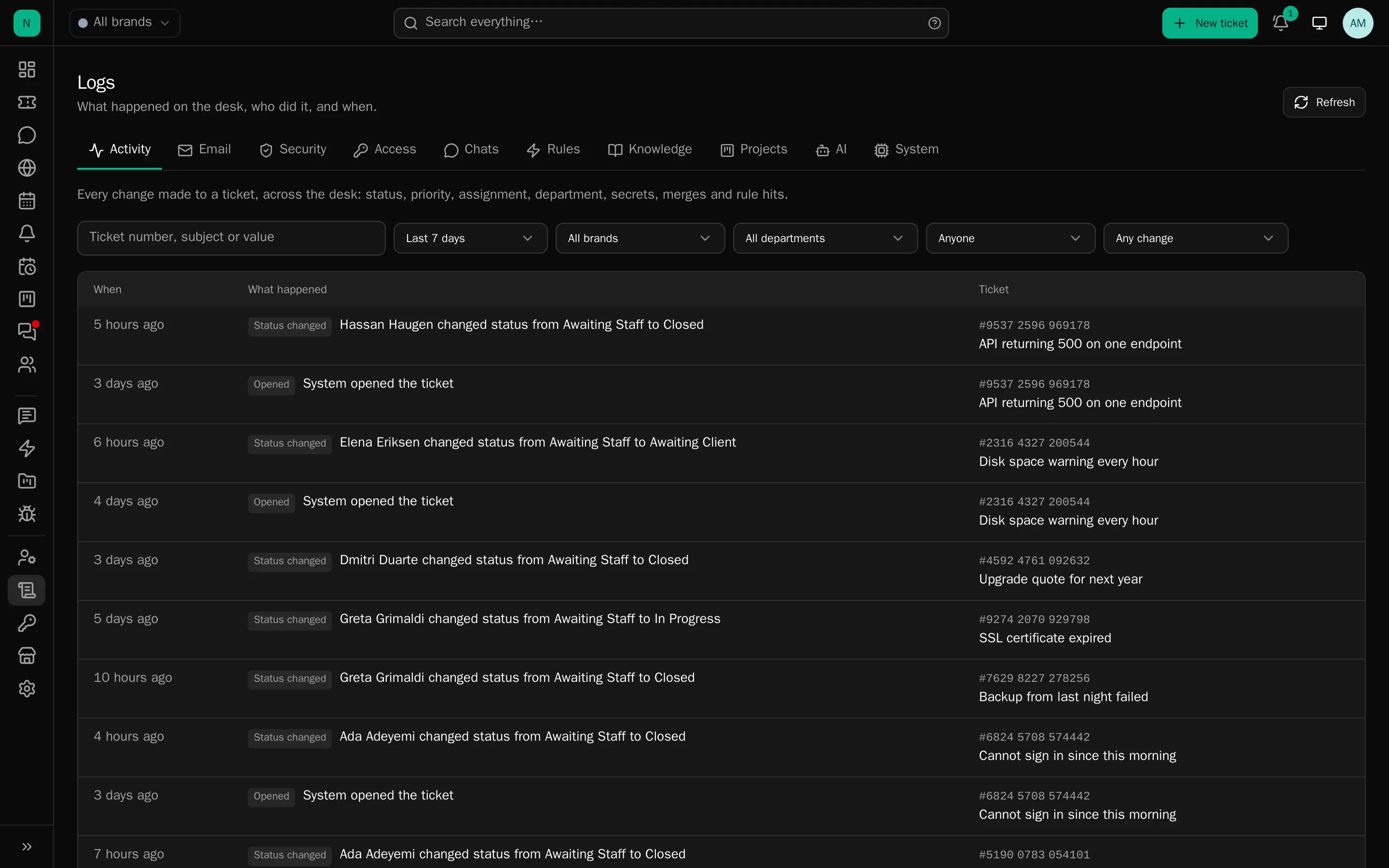
The tabs
Activity : Every ticket change across the desk, status, priority, assignment, department, subject, client, holds, secrets, CC, merges, rules applied, by type, department and actor.
Email
: Everything sent, with its state per message, and everything received with its outcome, the drop reason,
the ticket it landed on, and the original .eml.
Security : Sign-ins and failures with the method used (password, passkey, two-factor code, recovery code), sign-outs, two-factor enabled, disabled or rejected, recovery codes used, passkeys added, removed or rejected, impersonation started and ended (naming the administrator), password changes, API tokens created and revoked. Each with the address and browser.
Access : Credential reveals and deletions (which label, which ticket), and conversation exports, with or without internal notes.
Rules : Every run with its outcome and detail, including shadow-mode runs that did nothing.
Knowledge : Every indexing run: brand, source, what triggered it, what was fetched, changed, removed and embedded, how long it took, and any failure.
Projects : Projects made, changed, archived and removed, membership changes, and every time a fix was replied to all its linked tickets.
AI : Drafts by person, kind, model and outcome.
System : Mailbox polling state, queue depth, failed jobs with retry and remove, every scheduled task with its last run, and a 24-hour summary per job type.
Retention
In Settings → Tickets:
| Default | |
|---|---|
| Security and access events | 365 days |
| Rule runs, AI drafts, knowledge runs | 180 days |
| Inbound email originals | 90 days (Settings → Email) |
| Chat visitor sessions | 90 days |
| Quarantined files | 90 days |
| Trashed tickets | Your choice |
Pruned nightly; php artisan logs:prune --dry-run shows what would go.
Ticket history and the email log are never trimmed. They are the record of what was said to a client, and shortening that is not a retention decision the desk is willing to make for you.
Reading them well
- Start with Activity for “who changed this ticket”. It names the person, including when an administrator was working as somebody else, the log records who really acted.
- Security is where a login problem is answered, and it carries the method, which usually explains it.
- Access is the one to read after an incident: who revealed a credential, who exported a conversation.
- The log is append-only. Nobody, including an administrator, can delete an entry.
What is not in the logs
The application’s own error log (storage/logs/) is a file, not a tab. It is where a stack trace lives.
Keep the level at warning in production and keep it short-lived: with mail set to log mode it holds
whole emails, which is a good reason not to leave it lying around.