Live chat
For whoever is running the desk, and agents who answer chats.
A chat widget for your websites and your client area. A chat is a ticket from its first message: one history, one set of rules, email continuity, which is why a conversation that starts in the widget can finish by email without anybody re-typing anything.
Putting it on a site
One tag, once per page:
<script async src="https://desk.example.com/w/YOUR-KEY.js"></script>That draws a launcher and mounts the widget in an iframe served from the desk. data-embed="#selector"
renders it inline instead of floating. The brand’s allowed origins list decides which sites may use
the key; anything else is refused.
The Blesta module embeds it on every client-area page automatically, carrying a signed identity so signed-in clients are recognised.
The three faces
What a visitor sees follows the department’s opening hours and who is actually at the desk:
| When | What happens | |
|---|---|---|
| Chat now | Open, and somebody is available | A live conversation |
| Leave a message | Open, nobody available | A form; becomes an ordinary ticket |
| Closed | Outside hours or during a closure | The reopening time, and a form |
Chat hours can follow the department, have their own schedule, or be “always”. A brand-wide pause takes the widget off every site at once while letting running chats finish.
Who the visitor is
Three identity levels:
- Anonymous: a browser with a session token.
- Identified: they typed a name or an email. Shown to staff as unverified.
- Verified: the platform vouched for this browser session through the integration API.
Only a verified identity attaches a chat to an account. An email address matching a client never does. A chat started anonymously moves onto the account the moment the visitor signs in on the same browser.
The queue
A waiting chat alerts every available member of the department, in the app and on the desktop, with a sound. Agents pick up, take over from each other, or hand over with an internal note. Each agent has an Available for chat switch and a concurrent-chat limit (default 3): at their limit they are not counted as online and cannot pick up, though an administrator can force it.
If nobody picks up before the brand’s wait limit, the chat turns into an email conversation: the widget asks for an address, and the department gets a “missed chat” alert.
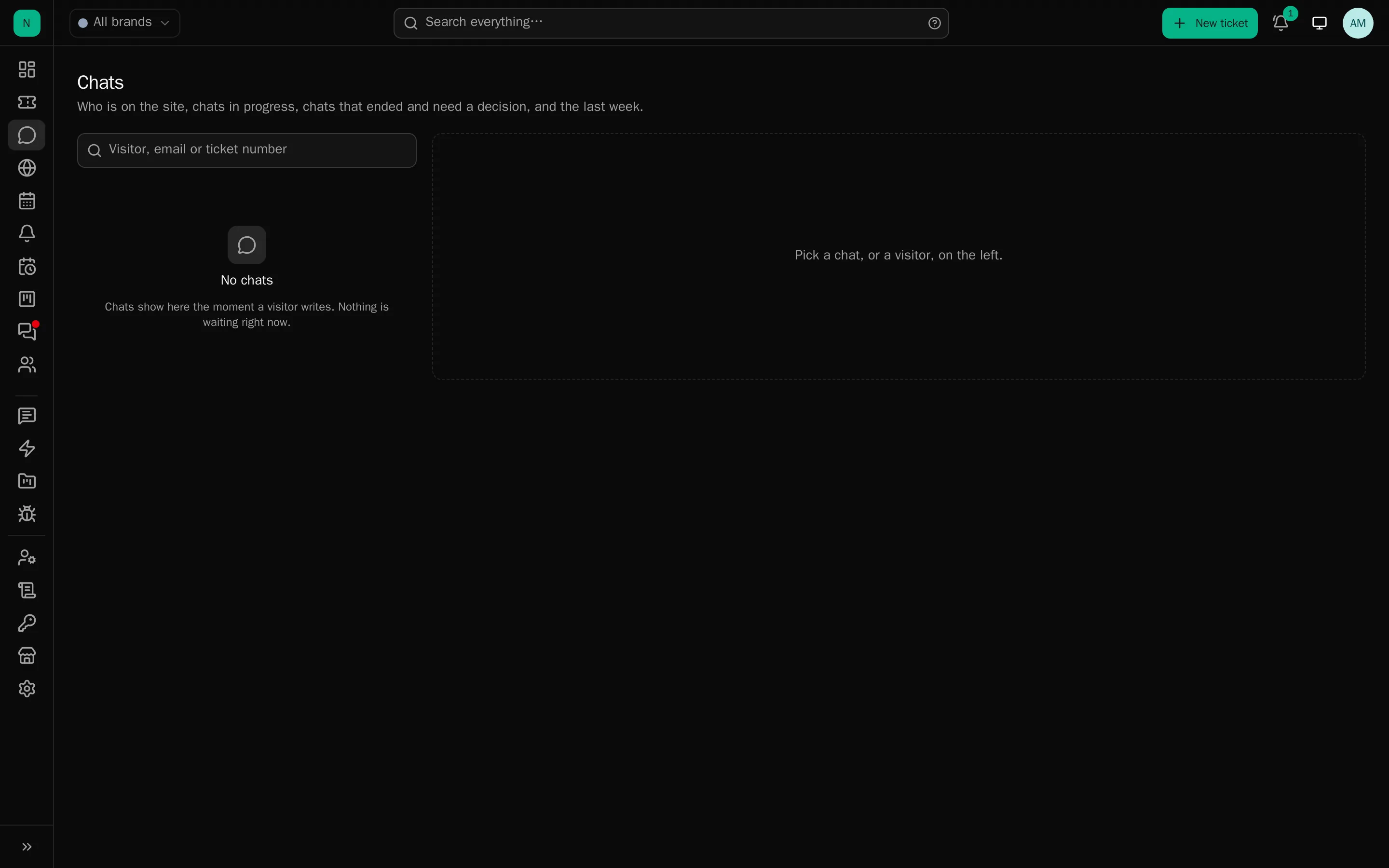
The Chats page
Live (waiting first, with red timers), Ended and awaiting a decision, and the last seven days. The panel on the right holds the visitor card, a map, the composer, and the controls.
When a chat ends you choose: Keep as ticket (it stays, and can carry on by email) or Done (closed quietly, no closing email, chat history only). A visitor-ended chat waits a day for that decision and is then done automatically. A chat becomes a kept ticket by itself if it goes unanswered, if an offline message is left, or if staff reply after it ended.
Until it is kept, a chat stays out of the ticket list and the ticket counts, so the queue is not filled with three-line “thanks!” conversations.
The AI first line
Off by default, and needs AI configured on the brand. The assistant answers the first messages from the product knowledge and house style, and hands over to a person:
- when it decides to, or the visitor presses “Talk to a person instead”;
- when its confidence is low, or the model fails;
- after a configurable number of turns (default 2).
It posts your hand-over line and then rings the queue, or takes an address if nobody is online. Assistant messages are labelled “Assistant (AI)” to staff and tagged in the widget. Nothing about it is hidden from the visitor.
Nudges (Engagement)
Per-brand rules that start a conversation:
- Triggers: time on page or site, idle, pages viewed, scroll depth, URL or referrer matching, UTM tags, exit intent, a return visit, a signed-in client, a client with an open ticket.
- Conditions: availability, identity, country, language, device, opening hours, and a quiet period after somebody dismisses one.
- The nudge: a bubble with a sender name, optionally opening the panel, optionally with up to six quick replies that start the chat in a chosen department. It can be an AI-written line for that page, cached per page.
- Frequency: once per visit, per day, or ever.
Two starter rules are created when chat is first switched on. They never fire while a chat or the panel is already open.
What the widget looks like
Brand → Chat → Look, with a live preview: launcher shape, size, side, offsets, icon or logo; panel theme (light, dark, or follow the visitor), width, height, corner radius, font, text size, and every colour. Layout covers bubbles or flat rows, grouping, avatars, timestamps, density, a team header showing who is on, a welcome card with quick replies, and the send and attach buttons.
Custom CSS is allowed (up to 8 KB) and is sanitised: imports and external URLs are stripped.
Per-language wording: every built-in string can be overridden per language, chosen by the visitor’s browser. Empty fields fall back to English.
While a chat is running
- Typing both ways, and optionally a faint preview of what the visitor is writing (off by default, never stored).
- Read marks: one tick sent, two delivered, two blue read; the visitor sees “Seen”.
- Canned responses with
/in the composer. - AI drafts: the same dialog as the ticket composer, with chat-length instructions.
- Uploads: up to three files per message, subject to the brand’s file rules, with optional automatic screening of images.
- Quiet visitors: after a configurable silence the desk asks if they are still there, and ends the chat politely if not.
- A wait estimate: “usually about two minutes”, from the brand’s own average over 30 days.
When it ends
- A transcript email to the client (on by default, when an address is known).
- A rating prompt in the widget, if ratings are on.
- The keep-or-done decision described above.
Control
Agents can block a visitor by browser session or by address, with a reason, for 1/7/30 days or until removed. A blocked visitor gets a bare “Chat is unavailable” and every widget call is refused without explanation. Blocks are audited and listed under the brand’s Chat tab.
Per-address limits are enforced regardless: 20 new sessions an hour, 5 new chats an hour, 20 messages a minute, 120 widget requests a minute.
Measuring it
The dashboard’s Live chat card shows waiting (with the oldest), live now, today, missed today, and over 30 days the average wait, average handling time and missed rate. Logs → Chats lists every chat with the visitor, identity level, department, outcome, wait, handling time, agent and message count.