Health and queues
For whoever is running the desk.
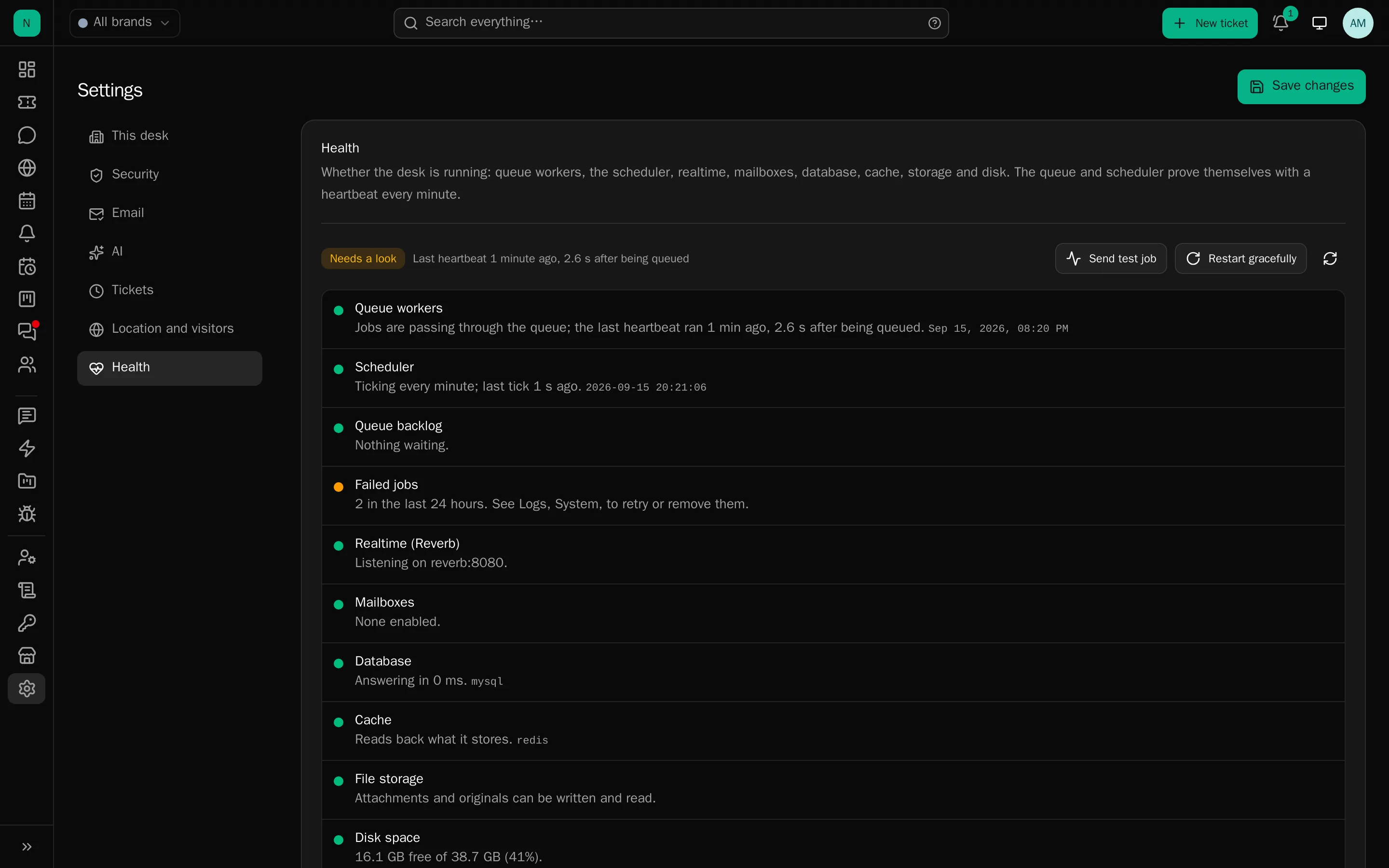
Settings → Health answers one question: is this desk actually working? It is the first place to look when something has gone quiet.
The checks
Each carries ok / warn / fail and a sentence you can act on:
- Queue workers: are any running?
- The scheduler: has cron fired in the last minute?
- Queue backlog: how deep, and is it draining?
- Failed jobs: how many, with retry and remove.
- Realtime (Reverb): is the websocket server up?
- Mailboxes: are they still polling?
- Database, cache, file storage, disk space.
And the facts worth knowing without a shell: PHP and Laravel versions, the environment, the queue, cache and mail drivers, the timezone, the last deploy time and the server’s clock. It refreshes every 15 seconds while open.
The heartbeat
The scheduler records a tick every minute and queues a job that records when it ran. Those are two different facts, and the gap between them is the whole point: cron can be firing while no worker is picking anything up.
No heartbeat for longer than the stale limit (default 5 minutes, a setting) marks the queue stalled, raises one notice to administrators (one per incident, not one per minute) and shows a banner on the dashboard until jobs flow again.
The actions
- Send test job: a heartbeat now, which tells you whether a worker is alive in about a second.
- Restart gracefully: each worker finishes the job in its hands and exits; the supervisor inside the container starts fresh ones. This is what you run after an upgrade.
- Hard restart: runs your configured shell command as the web user. Hidden until a command is set, because nothing about your host is assumed. The Health section shows what to allow.
Both restarts are recorded as security events.
When it goes quiet
Almost every “the desk did not send an email” is one of three things, in this order:
- No worker is running.
sixnix-deskctl workers, then restart them. - The scheduler is not firing.
docker compose psshould show theschedulerservice up. - The queue is backed up behind one slow job type, look at the 24-hour summary per job in Logs → System.
The fourth, rarer one: workers running old code because PHP-FPM was not reloaded after a deploy with opcache timestamps off.
Watching the queue properly
Logs → System carries every scheduled task with its schedule in words, its last run and outcome, how long it took, its runs and failures in the last 24 hours and when it runs next, plus a 24-hour summary per queued job type. It is kept as one status row per task and hourly counters, never a row per run, so it stays cheap on a busy desk.
Sizing
Five workers suits most desks. Add processes when the backlog is regularly non-zero at quiet times; add a
separate bulk worker when campaigns are delaying ticket mail.
A worker exits and is replaced periodically, which keeps memory tidy. The stop timeout is longer than the job timeout, so a worker is never killed mid-email.